
Best Account Website Management for Growing Agencies
Managing multiple client accounts across different teams, regions, or business units shouldn’t mean juggling five different dashboards. When you’re running an agency or professional services firm, every hour spent hunting for contact info, chasing down performance data, or coordinating access across scattered systems is an hour you’re not spending on strategy or growth.
The right approach to account website management consolidates everything your team needs into a single, unified interface. That means performance metrics, client billing, asset libraries, user permissions, and collaboration tools all live in one place. The payoff isn’t just cleaner workflows; it’s faster decision-making, fewer mistakes, and the ability to scale without drowning in complexity.
Why Centralized Account Management Matters for Your Business
When you’re managing portfolios across multiple accounts, fragmentation kills productivity. Teams end up with duplicate work, conflicting data, and blind spots. A project manager on one account might not know what’s happening on another. Billing gets messy. Client data lives in three different systems. Access control becomes a nightmare.
Unified account management flips this. You get a single source of truth for every account you manage. Your team sees the same data, works from the same playbook, and follows the same permissions structure whether they’re handling one account or twenty. When someone needs to pull a report, grant access, or update client information, they know exactly where to go.
This centralization also protects you. Transparent, consolidated account tracking builds trust with clients. They see clear visibility into their own performance and billing. You reduce the risk of errors, missed deadlines, or access slip-ups that could damage relationships.
If you’re handling client websites or managing accounts at scale, Infuse builds the kind of digital infrastructure that lets your team focus on strategy instead of admin work.
Related: Best Healthcare Website Design Dubai 2026: Top 5 Clinics Agencies Ranked
Related: Best Subscription Management Platforms 2026: Top 5 Ranked
Core Features That Drive Efficiency
The best account management systems share a few key capabilities. Start with unified contact and CRM functions. Every client interaction, project note, and follow-up lives in one place. Your sales team, project managers, and support staff all see the same information, which eliminates confusion and ensures nothing falls through the cracks.
Next, consolidated reporting. Instead of exporting data from multiple tools and stitching it together in a spreadsheet, you pull one dashboard. You see performance across all accounts, spot trends, and identify which clients are thriving and which need attention. This visibility is invaluable for forecasting and resource planning.
Centralized billing management saves significant time. Invoice all your clients from one system, track payments in real time, and automate reminders. You’ll catch late payments faster and reduce the back-and-forth emails that slow cash flow.
Related: What Is a Customer Hub? B2B Guide to Centralized Customer Management
User access control with role-based permissions keeps data secure without blocking your team. An account manager sees only their accounts. A finance person views billing across all accounts but not creative assets. A developer accesses the right repositories and environments. Permissions stay granular and secure.
Collaborative workflows tie it all together. Teams managing different accounts can still coordinate on shared processes, templates, or best practices. If one account needs a design refresh, your team doesn’t have to rebuild the wheel; they reference what worked elsewhere and adapt it.
Asset Sharing and Data Architecture
Professional services firms often want to reuse assets across accounts. A template, a brand guideline, a code library, a content strategy framework. A unified data architecture makes this seamless. Your team uploads an asset once, sets permissions, and it’s instantly available to everyone who needs it across every account. Versioning stays clean. Edits propagate automatically. Clients never see outdated materials.
Related: Best Scalable Web Application Architecture for Growing Businesses
This also works in reverse. If you’re managing accounts for different brands or regions, the system maintains clear separation. One account’s data never bleeds into another. Permissions enforce this boundary automatically, so you get the efficiency of one platform without the risk of mixing up sensitive information.
The right architecture also supports your growth. As you add more accounts, the system scales without slowing down. Your team doesn’t need retraining. New team members onboard faster because everything works the same way.
Building Trust Through Transparent Account Visibility
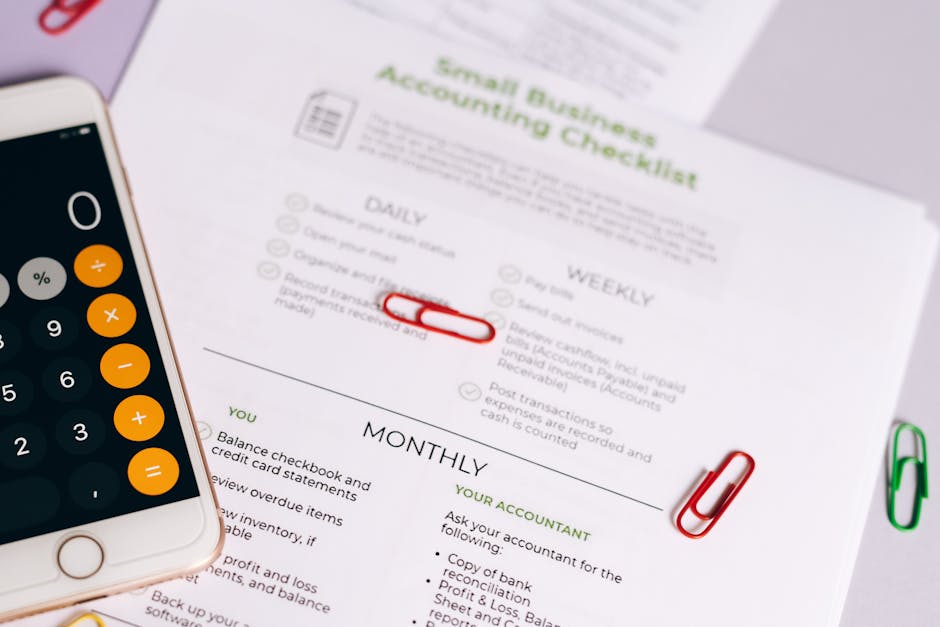
Clients care about seeing their own performance clearly. A well-designed account interface gives them real-time visibility into project status, spending, and results. They trust you more when they can pull up their own dashboard instead of asking for updates. This transparency reduces support requests and gives clients confidence they’re in good hands.
For your team, this same transparency means fewer status update meetings and faster problem resolution. If a metric dips, everyone sees it immediately and can respond. If a deadline is at risk, the alert pops up before it becomes a crisis.
When you partner with Infuse to build or overhaul your account management infrastructure, this transparency isn’t an afterthought; it’s baked into the design from the start.
Want to work together?
Workflow Automation for Professional Services
Repetitive account management tasks eat time. Client onboarding checklists. Invoice generation. Renewal reminders. Status reports. Project handoffs. The best platforms automate these workflows, which frees your team to focus on higher-value work.
Automation also improves consistency. Every new client goes through the same onboarding steps in the same order. Every invoice follows the same template. Reminders go out on schedule. Your clients experience a predictable, professional process every time.
Advanced platforms even learn from your patterns. If you always follow certain steps for a specific type of account, the system can suggest or auto-execute those steps for new clients in that category. Over time, manual work shrinks while quality stays high.
After-Sales Support: The Difference Between a Tool and a Partner
Many account management platforms sell you software and call it done. You get a login and a manual. But what happens when you need help configuring it for your specific workflow? What if your team gets stuck or your requirements change? You’re on your own.
That’s not how real partnership works. The firms that truly scale their account management invest in ongoing support and optimization. Your platform vendor should understand your business, help you set up processes that match how you actually work, and adapt as you grow.
This is where after-sales support becomes your competitive edge. When Infuse builds or manages your account infrastructure, the relationship doesn’t end at deployment. We help your team configure workflows, troubleshoot issues, and continuously improve how you’re using the system. Your success isn’t just our job; it’s how we measure ourselves.
That commitment to your growth is why teams choose to work with Infuse for their account management and digital infrastructure needs.
Getting Started with Unified Account Management

The first step is honest assessment. Map out what you’re currently using: CRM, project management, billing, asset storage, client portals. Count how many systems your team logs into daily. Track which information lives in multiple places. Identify where errors or miscommunications happen most.
Then define your requirements. What does your ideal workflow look like? What data matters most? Which teams need what access? What would make your team’s day easier?
The right partner helps you think through these questions and translates your answers into a system that actually works for how your business operates. They don’t force you into a generic template; they build something tailored to your needs.
That’s the foundation for sustainable growth. Whether you’re managing ten accounts or a hundred, the infrastructure underneath needs to be strong, flexible, and designed with your team in mind. When you’re ready to consolidate your account management into something that drives real efficiency, talk to Infuse about building your account infrastructure.
Common Questions About Account Website Management
How do I know if my team needs unified account management?
If you’re managing more than one account and your team uses more than one tool to do it, or if you’ve ever had confusion about which version of client data is current, or if pulling a cross-account report takes more than a few minutes, you’d benefit from consolidation. The bigger the gap between “how you want to work” and “how you’re actually working,” the bigger the opportunity.
Won’t switching to a new system disrupt our current workflows?
It depends on how you transition. A good implementation takes time and is structured to minimize disruption. Your team migrates gradually, old and new systems run in parallel while you validate everything works, and training happens before people need to rely on the new platform. The goal is a smooth handoff where your team actually works faster than before, not a chaotic cutover that creates chaos.
How do I keep client data secure in a centralized system?
Centralization actually improves security when done right. You have one system to secure, audit, and maintain instead of data scattered across multiple tools. Role-based access means each person sees only what they need. Encryption protects data in transit and at rest. Backups and disaster recovery are handled consistently. A unified system gives you better control, not less.
Can I integrate account management with tools we already use?
Most modern account platforms integrate with common business tools: email, calendars, project management, accounting software, communication apps. The best ones can be customized to connect with tools specific to your industry or workflows. Integration capability is worth asking about during evaluation; tight integrations reduce manual data entry and keep information in sync automatically.
Want to work together?

infuse
We are a small group of proven, result oriented, experienced web development professionals competent to international standards. We have reciprocal professional backgrounds and expertise in management, programming, design & creative skills. We can assure you elegant, creative digital solutions for your business needs which are superior in design, coding and standards which represent your brand/business pixel perfectly in the online world.